One restaurant & one venue per cart. Add items only from this kitchen.
🛒
Your cart is empty. Add items to get started.
Komdeme · Food near you
What are you craving?
Komdeme is a Ghana-focused restaurant marketplace: browse menus, order pickup from the venue, or delivery where we connect the kitchen to vetted partner courier networks. Each cart is one restaurant and one venue at a time (branches are separate listings).
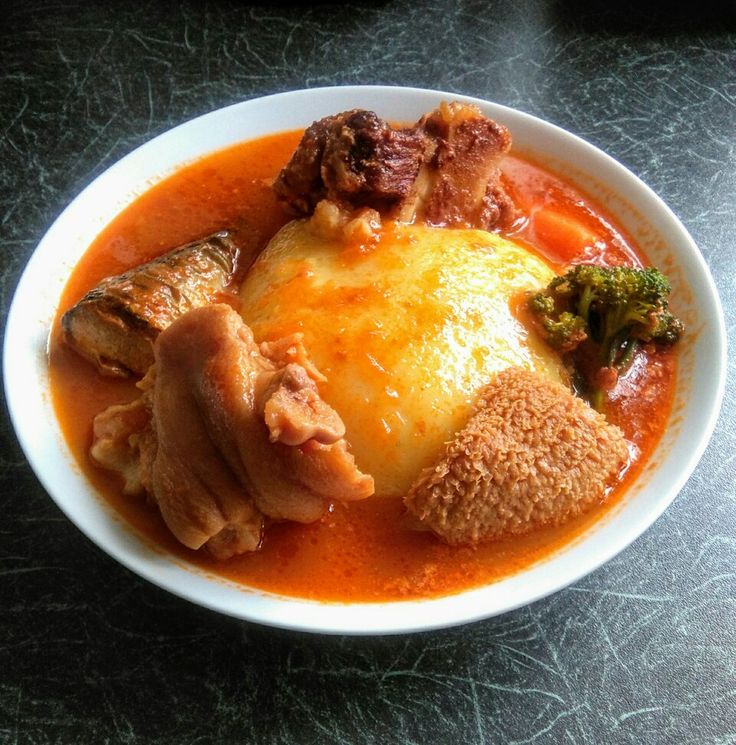
Fufu & soup
★ 4.9from ₵46
Jollof
★ 4.9from ₵58
Waakye
★ 4.7from ₵12
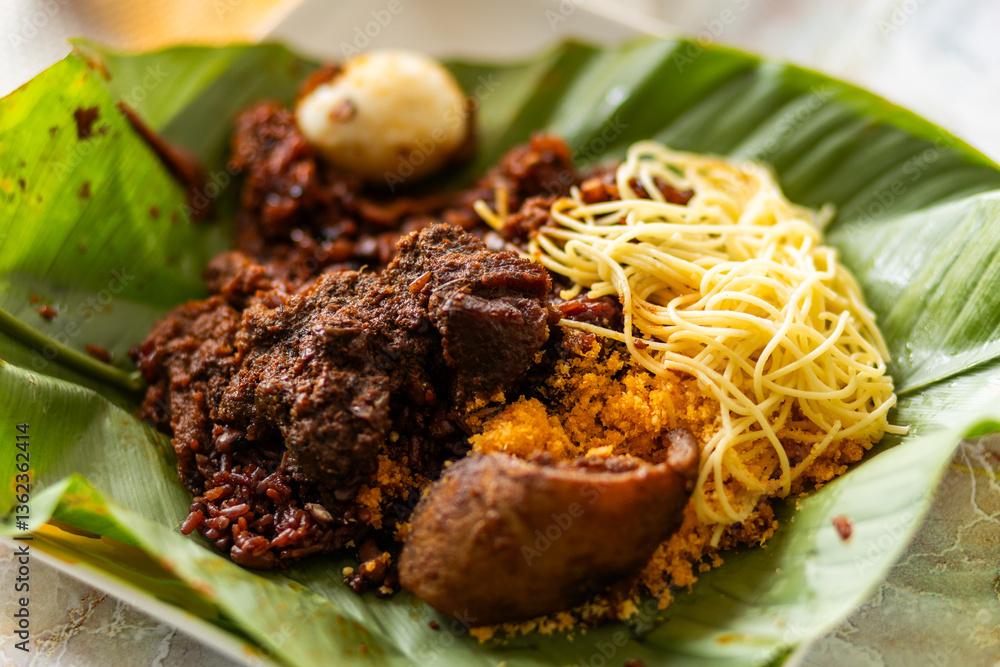
Gobe
★ 4.8from ₵32
🔍
Browse by category
🍽️ All
🇬🇭 Ghanaian
🍕 Pizza
🥡 Chinese
🍔 Burgers
🍱 Sushi
🍗 Chicken
🥗 Healthy
🍰 Desserts
🥤 Drinks
Pilot previewFees, promos, and ETAs shown here are placeholders until launch pricing is published.
Phone is where we send order updates & delivery alerts. Change it any time — we'll verify the new number with a code.
Phone
—
WhatsApp
—
Email
—
Verified
—
Change phone number
A 6-digit code will be sent to the new number. Until you verify, your old phone remains active.
Enter your new phone, then tap Send code.
← Account
Preferences
We’ll hide menu items that may contain what you avoid or are allergic to. Always confirm with the restaurant for severe allergies.
Do not eat (e.g. faith or choice)
Items whose names or descriptions mention these are hidden from menus while you’re signed in.
Allergies
We treat these strictly — matching dishes are hidden.
Meal windows & favourites
Optional — we use these for reminders and future meal suggestions.
Breakfast
Lunch
Dinner
Order reminders
If the app is open around your meal times, we’ll nudge you once per day (browser notifications if you allow).
Checkout convenience
Shortcuts that pre-fill choices at checkout so you order faster. Off by default — when off, you'll always pick a courier manually so you see all the fees.
Saved delivery addresses
Label up to 3 places you order to often — pick them at checkout. Your GPS-detected location at the top is always available too.
← Account
Meal history
Orders recorded on this device after checkout.
Save this address?
View cart
₵0 · Delivery
← Back
Twi · “I’m hungry”
Register your restaurant
List your venue on Komdeme: menus, delivery zones, payouts, and order management. Applications are reviewed by our team within 1–3 business days.
Business
Business registration (Ghana)
Upload documents so we can confirm you are a legally registered business before going live. Files are stored securely and reviewed by Komdeme operations.
Venues & GPS
Each physical kitchen or branch is a separate venue with its own coordinates. Customers order from one venue at a time (no mixing branches in one cart).
Menu (categories, dishes, prices, photos)
Create the structure customers will see: category name, then each dish with price in ₵, short description, and photo. You can edit categories and dishes any time from the vendor portal once approved.
Tip: add every category you sell from this venue set; you can duplicate structure per venue in production.
Owner & contact
Compliance & payouts
✅
Application received
We’ll verify your business registration documents, each venue’s GPS, and your menu, then contact within a few working days with portal access.
← Back
Twi · “I’m hungry”
Delivery partners
Komdeme connects kitchens to vetted partner courier networks for delivery. Apply below to ride for the platform — once approved, you'll get access to the rider app, live job pool, and weekly payouts.
Already applied? Check status
Enter the phone number you used on your application to see whether it's approved, pending review, or needs a licence renewal.
Renew DVLA licence — new expiry date and optional new licence photo.
Tap to upload
💰
Partner economics
Courier payouts follow each network's contract — not a fixed Komdeme percentage
⏰
Kitchen schedules
Kitchens go online when they are ready; no forced 24/7 shifts
📱
Dispatch-ready
Statuses sync back to customers when a partner API is connected
🇬🇭
Pilot corridors
Launch coverage will be announced per neighbourhood — not all of Accra on day one
⚠ Komdeme Rider Partner Program. Requires a valid Ghana Card, DVLA licence, and verified phone. You'll receive an SMS code to confirm your number.
✓ Phone verified
📄 Ghana Card Verification
Required for approval. Your details are kept private and secure.
Format: GHA-XXXXXXXXX-X. Tap Verify card to confirm with the gateway.
✓ Uploaded
📷
Tap to upload front
✓ Uploaded
📷
Tap to upload back
🚴 DVLA driving licence
When your DVLA licence expires, your rider account is locked from accepting trips until you submit a renewal with the new expiry date.
✓ Uploaded
📷
Upload licence (front)
Submitting this form starts a formal rider application. Komdeme will review your Ghana Card, DVLA licence, and vehicle details. You'll be notified by SMS once approved.
🎉
Application submitted
Thanks — we'll review your documents and get back to you by SMS at:
Approvals usually take 1–3 business days. You can tap Check status on this page any time using your phone.
What happens next:
✓ Document review by Komdeme operations
✓ SMS notification when approved
✓ Sign in to the rider app at komdeme.com/rider
✓ Licence + insurance renewal reminders before expiry